From a local change to a verified server revision.
Product tour · Features · Get started · Deployment model
ForgeFlow is a Windows desktop application for teams that use Git, Gitea and self-hosted Docker or Unraid servers. It brings local changes, remote commits and the exact revision running on a server into one workspace, then guides review, commit, push, deployment and verification. > **Public-source edition:** This repository contains reviewed source files from a private canonical repository. It does not yet host signed Windows releases. `PUBLIC_SOURCE_MANIFEST.json` identifies the exact source revision and file hashes; private Git history is not included. **Downloads:** Existing signed Windows releases remain at [the legacy ForgeFlow release page](https://gitea.itworx.tech/Jens/ForgeFlow/releases/latest) during the public-repository transition. The [curated public source](https://gitea.itworx.tech/Jens/ForgeFlow-Public) is separate; it will become the release destination only after signing and update compatibility are verified. ## See the workflow 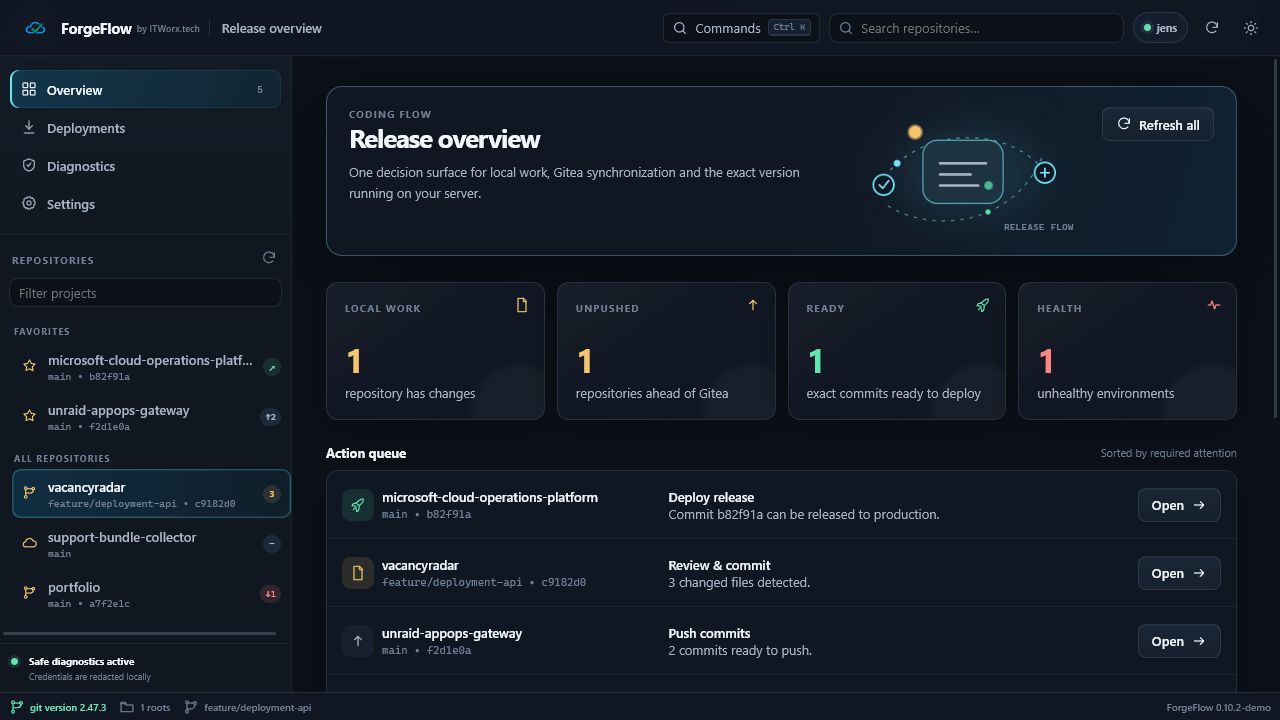 | Review local work | Reconcile deployments | | --- | --- | | 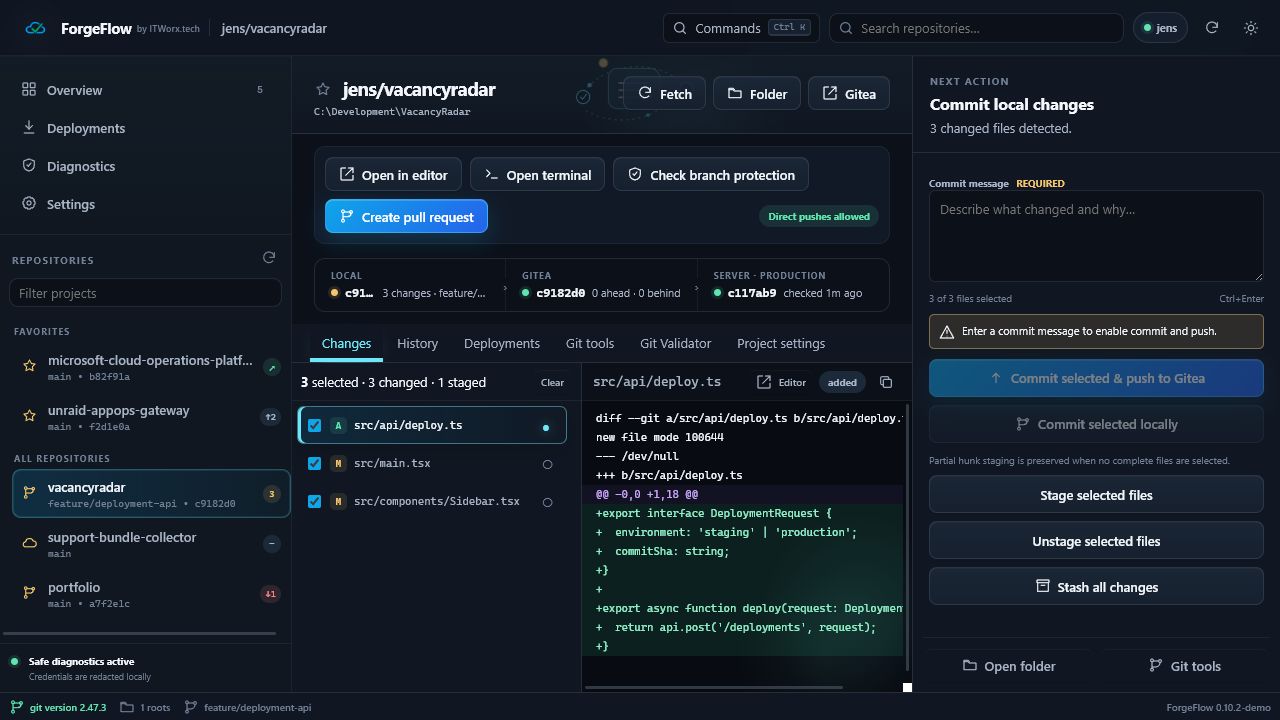 | 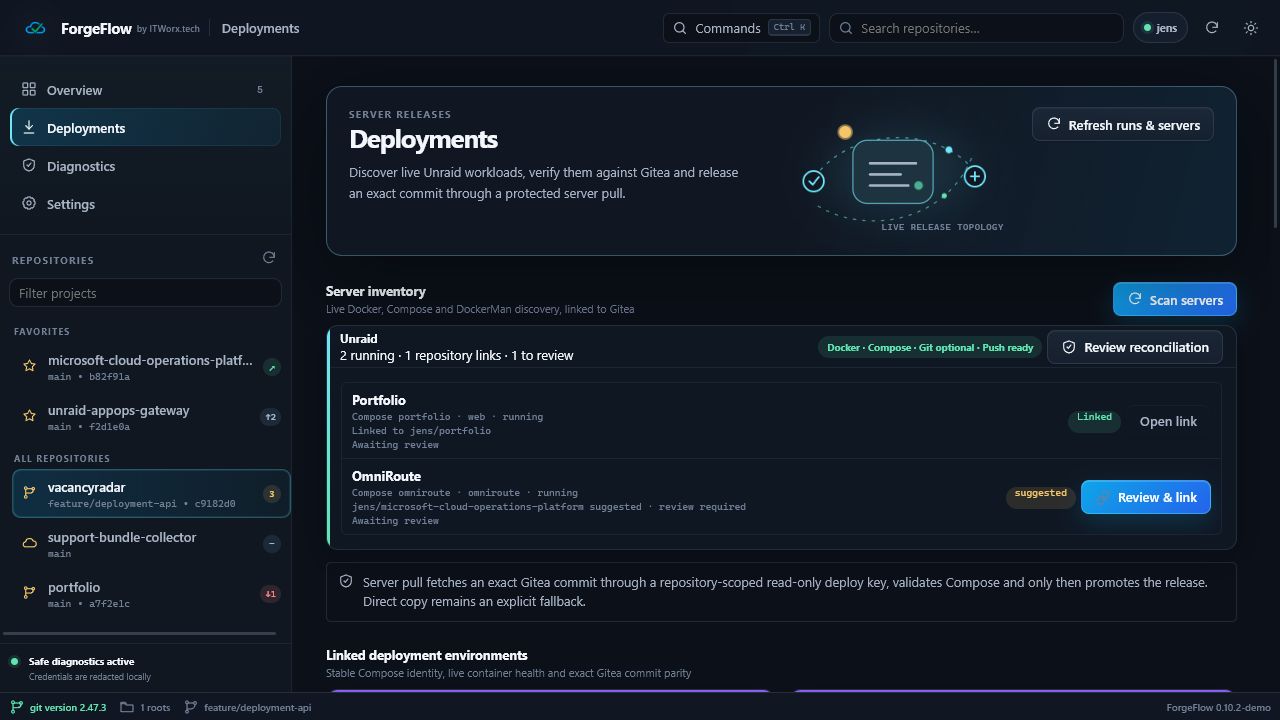 | *The captures use example repositories and demo state; they are not a live infrastructure dashboard.* ## Key capabilities | Area | What ForgeFlow helps you do | | --- | --- | | Action queue | See which repositories need review, a push, deployment or health attention. | | Git review | Inspect diffs, stage files or hunks, commit, push and recover from common sync problems. | | Gitea awareness | Compare local and remote revisions, review branch protection and open a pull request. | | Server inventory | Discover Docker, Compose and DockerMan workloads and link them only when repository evidence matches. | | Exact-commit deployment | Dispatch a reviewed revision and compare the full local, Gitea and live commit SHAs. | | Git Validator | Inspect repository identity, protection, documentation, secret hygiene and oversized files. | | Diagnostics | Keep configuration local and redact sensitive values in support exports. | ForgeFlow distinguishes a matching commit from a healthy deployment. It keeps incomplete evidence visible instead of claiming that a server is current when its live SHA is unknown. ## Get started ### Install the Windows app 1. Download an installer or portable executable from the [published release page](https://gitea.itworx.tech/Jens/ForgeFlow/releases/latest). 2. Launch ForgeFlow and complete the setup wizard. 3. Add your Gitea URL, a token with the required repository permissions, and the local folders to scan. 4. Optionally add a Docker or Unraid host, then use **Scan servers** to review detected workloads. The packaged updater checks a release against the exact remote commit, its SHA-256 checksum and the embedded Ed25519 publisher key. Existing installations continue to use the legacy release endpoint until the migration is qualified. ### Explore with example data Requirements: Node.js 22, npm and Git. ```powershell npm ci npm run demo ``` Open